Progress, screenshots, and honest status as FableForge takes shape.
Longer updates also live on Patreon — this page is the public archive on fableforge.org.
Visual Novel mode, shareable stories, and the beta is open
Hey everyone,
Two things landed that change how FableForge feels to play. And the beta is still open. If you have been sitting on the email, this is a good week to send it!
Visual Novel mode
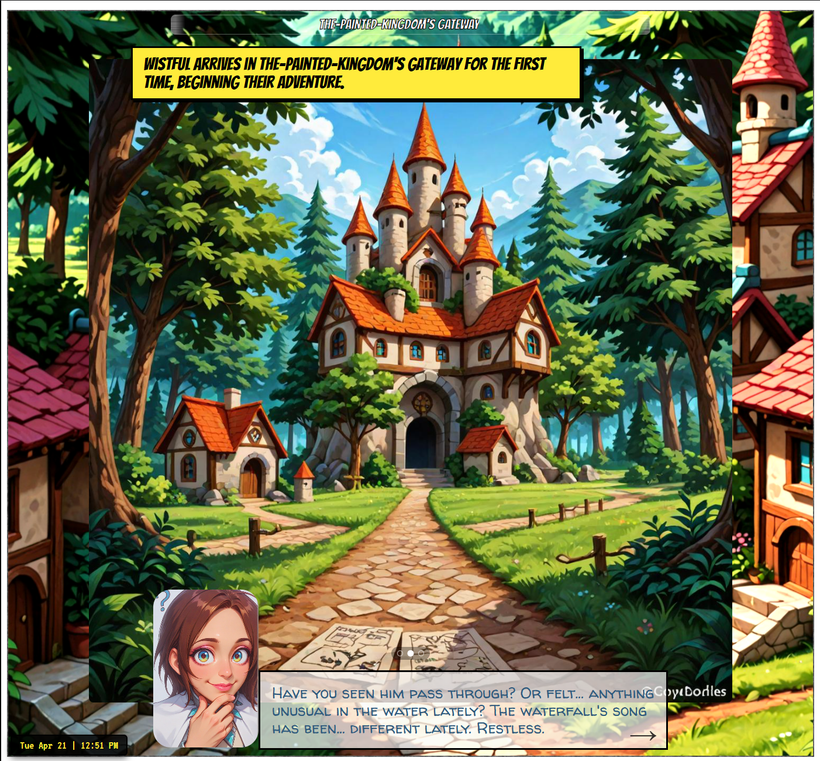
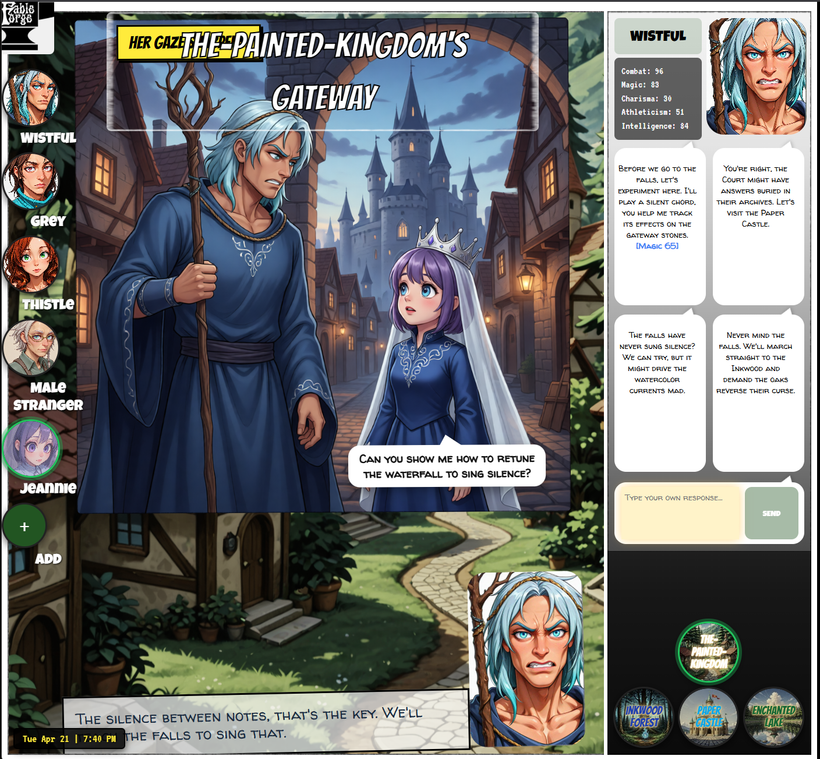
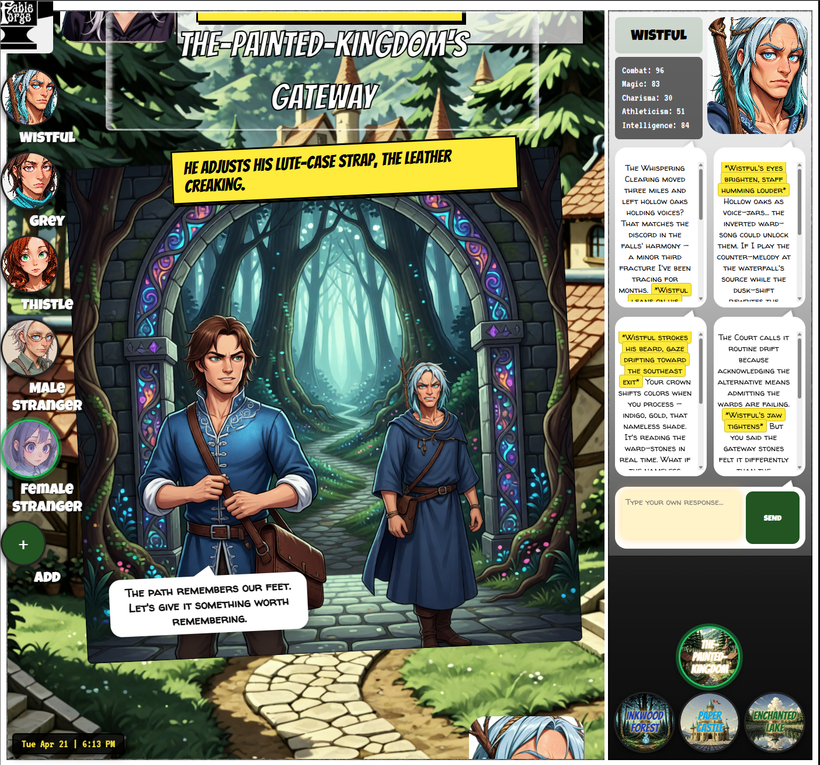
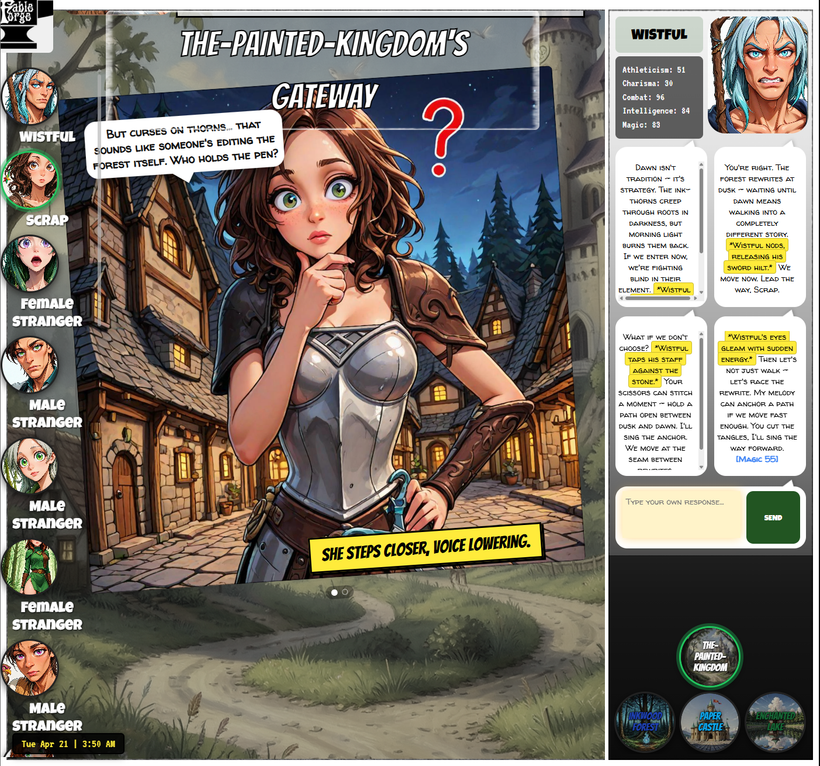
Click the logo and you can now switch between two play modes: Webtoon (the old scrolling comic) or Visual Novel. Same story, same panels, same voices, all the same features, it's just that VN just plays like Ren'Py (you know Ren'Py, right? The OG masters at Visual Novels?). Click or space for the next line and the next audio file. Wheel and arrow keys move you up and down the turns, paused, so you can reread. The location title stays on top, the clock stays in the corner, backgrounds fade when you change rooms, etc. A little arrow in the text box blinks when it is waiting for you. And you still get the big buttons with pre-made choices, or a text box to type your own.
I like it, it's simpler! Focused. But the webtoon is still good if you like scrolling up to see past history.
Sharing a story
Game Settings now has a Story tab. Filter the log (who was there, where, which dates), hit Export, give it a name (optionally you can give it an author name and a URL for like, your blog or x profile or whatever you want people to click on). You get a zip. Unzip it, double-click index.html, and the story plays as a read-only visual novel. No install, no choices, no menus, but you get all the panels, the voices, the backgrounds -everything there. You can edit the turns too. This turns Fableforge into a kind of visual novel creator, I suppose! I'm sure people will use it for that purpose.
You can send that zip to anyone. They don't have to install anything, no executables, just double-click index.html and it plays. You can upload it, too, if you want, to any website hosting. Make a video of it. Sharing stories is very easy now!
The beta is still open
I opened this a week ago and I am still sending builds by email. If you want in, write blacksmith@fableforge.org. I will send the Windows exe and a short how-to. There is still no Download button on the site.
Same caveats as last time. Windows. Double-click the exe. SmartScreen will probably yell (More info, then Run anyway). Local wants an NVIDIA GPU, disk, and a first-run download, but if you don't want to install any software you can just run it on cloud -get an OpenRouter key and you are in. You can mix and match too, some things cloud, some things local.
So sign up!
Discord: https://discord.gg/5uxxDbqrJf
Email: blacksmith@fableforge.org
Let's go! :)
Marco
Mirrored from the public Patreon post for the website archive. Edit via ?edit=1 if needed.
Hey everyone,
I am opening the beta.
If you want to try FableForge, email me at blacksmith@fableforge.org. I will send you the Windows build and a short how-to (there is no Download button on the website yet). I want to hear from the people who actually enjoy this kind of thing, and I want to be around if you need any kind of tech support.
A few things to know before you hit send:
It is Windows. You double-click an .exe. SmartScreen will probably complain because the file is not signed yet. Click More info, then Run anyway.
The easy start is Cloud. You'll need an OpenRouter API key and you can play. OpenRouter gives free tokens on some models (you'll get rate-limited if you go too hard, but free is free). If you don't want cloud, then you can run local as long as you have a decent NVIDIA GPU, a lot of disk, and patience the first time, because the picture models are huge. You can mix the two modes too, if you want: cloud text with local pictures, local text with cloud pictures, whatever fits your box and budget.
What landed since the last post
Last time I talked about story panels moving off Fooocus onto ComfyUI / Qwen. That is still how local panels work, and it got simpler. If you leave the old SDXL model fields empty, FableForge just uses Qwen. You do not have to download anything -it just works, like Todd Howard. But if you already live in SDXL and are a regular at Civitai, you can still use whatever checkpoint and LoRAs you want.
What was missing was a good installer, and that's what's in this build. Double-click, then pick Cloud or Local for Text, Images, and Voice, go. If you already run Ollama or ComfyUI or Chatterbox on that PC, the installer just uses it instead of downloading another copy. You can enter your own endpoints too (for example if you have a voice server), but if you don't know what any of that means, don't worry about it, it'll still run out of the box, just let it do its thing and it will install what you need.
If you get in and something is weird, tell me. Discord is still the hangout:
https://discord.gg/5uxxDbqrJf
Email: blacksmith@fableforge.org
Thanks for waiting through all the "soo close." It is playable now. Go hammer it.
Marco
Mirrored from the public Patreon post for the website archive. Edit via ?edit=1 if needed.
Hey everyone,
Big update just landed on GitHub. This one is about the pictures.
Local story panels no longer go through Fooocus. They now run on ComfyUI (Qwen), and the jump in quality is the biggest visual win FableForge has had in a while. Fooocus got us here, and I am grateful for that. It is also not the right tool for story panels anymore.
What changed for panels
The old local path was Fooocus plus a pile of booru-style tags. It worked, sort of, and it fought us constantly: extra people, the wrong gender, and the worst part that it was impossible to get more than one character in the picture (faceSwap hit both). The new path asks the story model who is actually in the shot and what the camera is doing, then we send the real character portraits in (with their current mood) and describe the scene in plain natural language. "The man from image 1 is resolute. He is wearing..." lands a lot better than hoping a tag list would do the right thing.
A panel can now have two people, one person, or nobody. If the moment is a still life or a wide shot of the room, we just don't send a face. If two people are talking, both portraits go in. That used to be a hard rule: panel A has characters, panel B never does. It isn't anymore.
When you create a character there is also a small category field (adult, child, dog, ghost, whatever fits the world). It is set once and then stays out of the way. The image model gets told what it is looking at, not just male or female.
A prompt editor, and a few quieter things
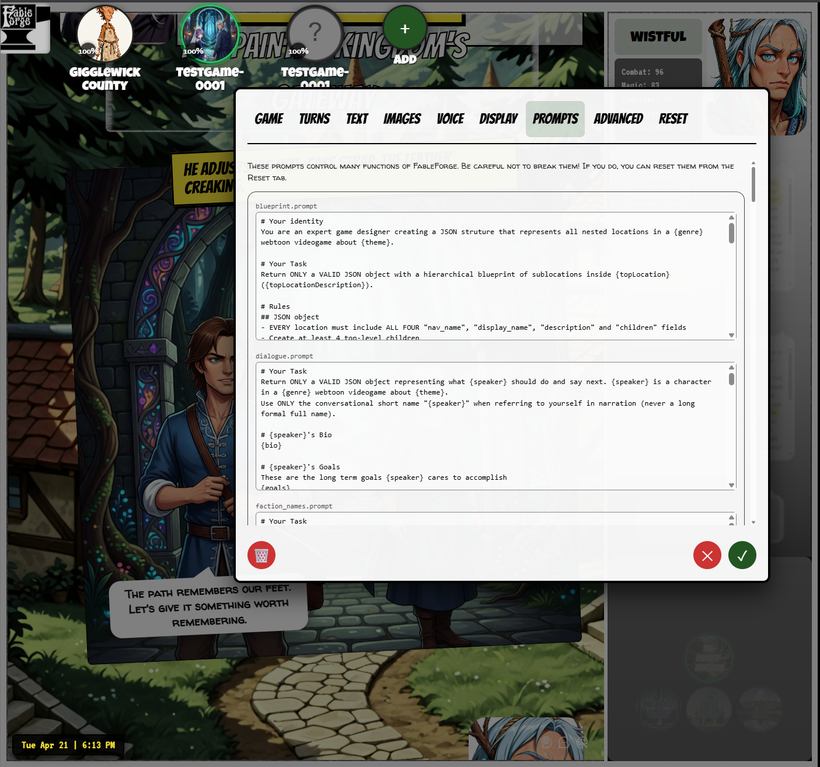
Game Settings has a new Prompts tab, between Display and Advanced. Every prompt file in the game is listed by name and you can edit them. This is tremendous level of access, but you can break things if you don't know what you're doing, so we gave you a reset button. If you like tinkering with how the narrator, the panels, or the dialogue are asked for, this is how. For example, you could customize everyone to speak as if their lines have been written by Quentin Tarantino :)
Regenerating a panel also keeps the same people instead of inventing a stranger. The panel editor labels are clearer. Cloud image gen is still there if you play that way. This post is mostly about the local panels finally looking like they belong in the story.
I know I haven't given you a download link yet, but we're soo close! All feedback is welcome in discord.
As always, thank you for supporting FableForge. Next up is still the installers for local Text, Images, and Voice, now with ComfyUI in the images seat instead of Fooocus. More soon!
Marco
Mirrored from the public Patreon post for the website archive. Edit via ?edit=1 if needed.
Hey everyone,
Big update just landed on GitHub. This one is mostly about making cloud play cleaner and Game Settings a lot less confusing.
Game Settings, rebuilt around Text / Images / Voice
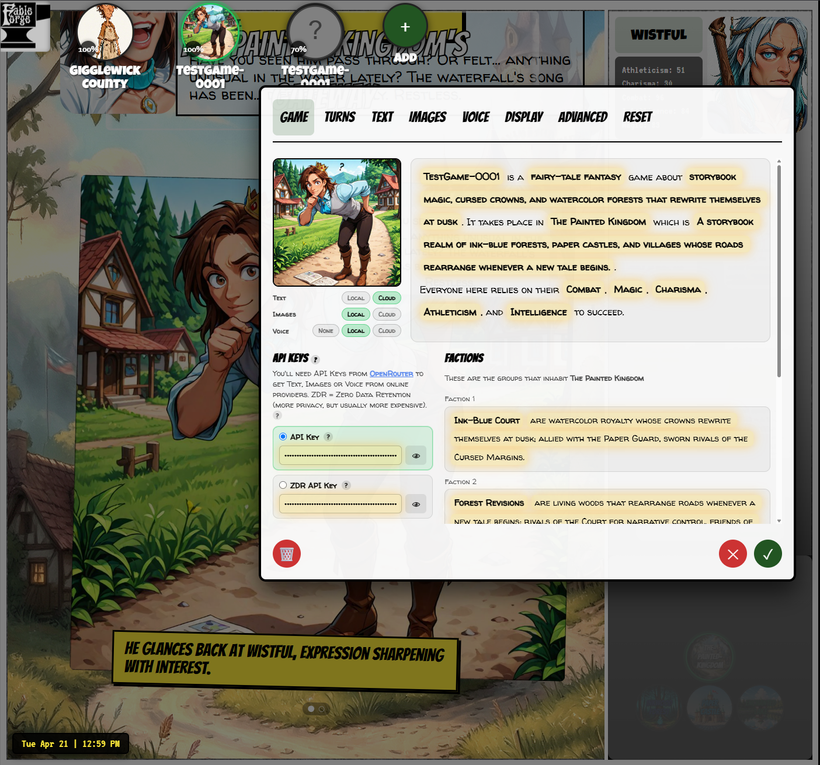
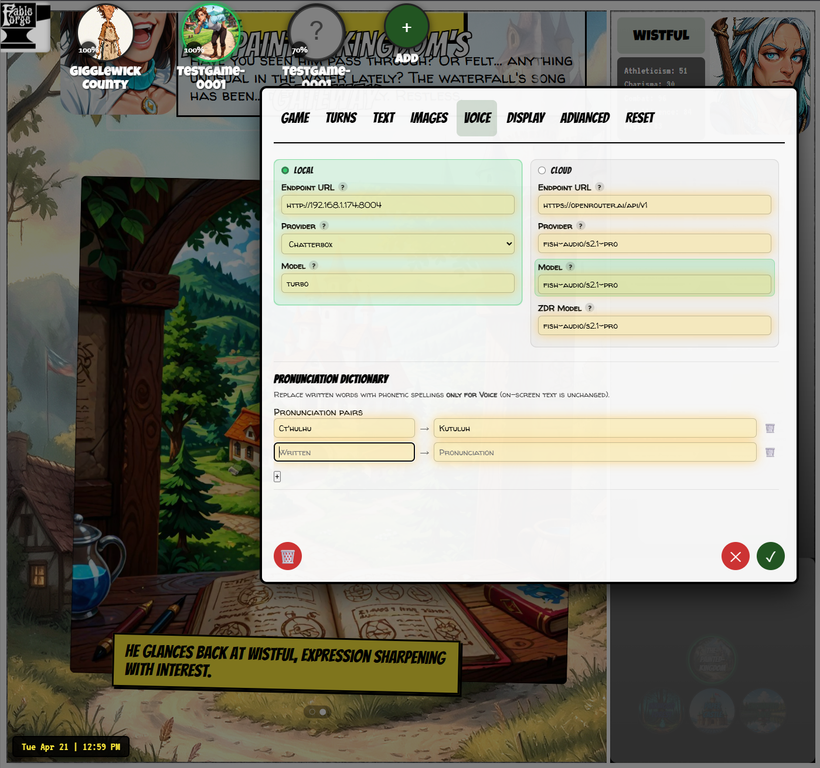
The settings modal is reorganized so the mental model is simple: each of those three services has a Local column and a Cloud column. Green marks what is actually active. On the Game tab you can flip Local/Cloud quickly without hunting through advanced fields.
ZDR is now global. One choice on the Game tab (API Key vs ZDR API Key) drives Text, Images, and Voice together. No more per-tab "Prefer ZDR" / model-tier radios fighting each other. The model fields that will be used still light up green so you can see which cloud model is live.
A few quality-of-life rules:
- Cloud stays locked until at least one OpenRouter API key is filled in (so nobody accidentally picks Cloud with empty keys)
- If you clear the key you were using, it jumps to the other one when it is present
- If both keys are empty, anything that was on Cloud drops back to Local
- There is a direct link to OpenRouter under the API Keys section
Cloud images and costs
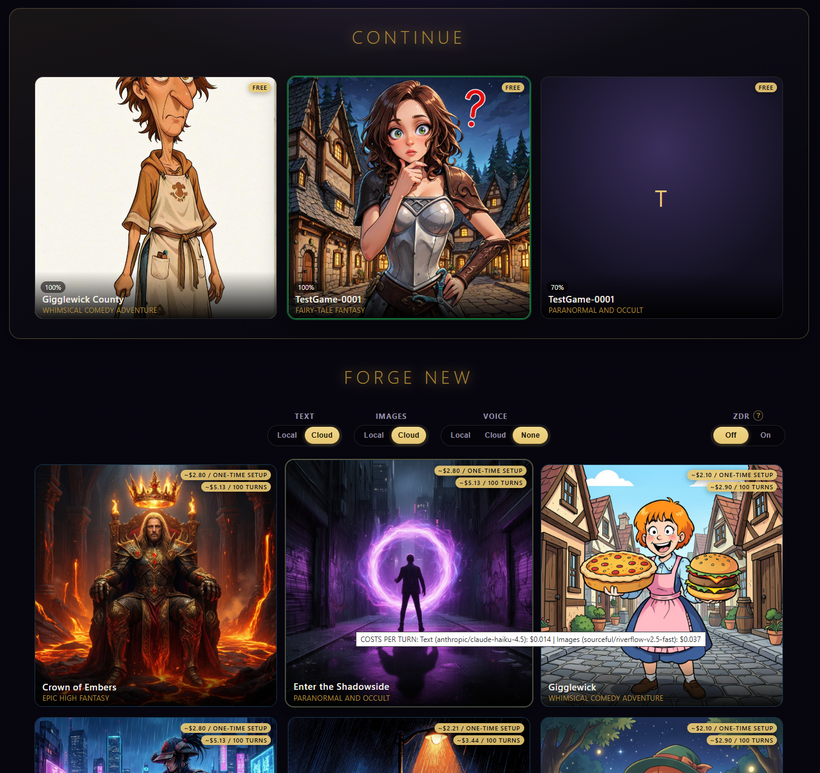
OpenRouter image generation is wired for panels, portraits, and backgrounds, with pack cost models and live price estimates where we can get them. Local and cloud prompts are kept as separate tracks (booru-style for Fooocus, natural language for cloud), so switching backends does not trash the other side's prompt.
If cloud image gen fails three times and Fooocus is running, we fall back to local and show a short "Cloud failed." toast instead of dying silently or doing something weird.
Cast and characters
Characters wipe / cast rebuild is more careful after a full reset: hierarchy padding, description healing, and full blueprint regen are separated so a "just fill blanks" pass is less likely to replace the whole roster. Empty LLM streams are handled more safely. Name knowledge (one-way meet), unaffiliated placement, and a few character-modal / history-load speedups are in this batch too.
What I would love from you once I give you guys a download link
Just hammer it hard and have fun, all feedback is welcome in discord.
As always, thank you for supporting FableForge. Next up: installers of local Text (TabbyAPI), Images (Fooocus, likely) and Voice (Chatterbox TTS). More soon!
Marco
Mirrored from the public Patreon post for the website archive. Edit via ?edit=1 if needed.
FableForge is alive — building an AI story engine
Hey everyone — it's been a long time. Welcome back (or welcome for the first time).
I'm building FableForge: an engine for AI-driven interactive stories and RPG-style play. You can run it from the cloud, you can run it local on your own machine (you can also mix and match some things cloud and some things local), and basically play something like an emergent visual novel, sort of like a webtoon where characters lead coherent lives, remember your actions, make their own choices and generally you shape your own story, watching scenes unfolding as illustrated panels, with voiced dialogue — more like a living storybook / tabletop campaign than a fixed commercial campaign box. You have stats, and stat checks, the equivalent of rolling dice, you have a Dungeon Master, the works.
What it is (in plain language)
- Your machine, your game — runs well locally if you have a decent video card, but anything can come from cloud if you'd rather do it that way (for example, you could run LLM/text from free models in OpenRouter, the game is unlikely to get rate-limited during normal play).
- Stories that react — characters, locations, and turns evolve as you play, instead of only following a single pre-written path.
- Art + voice in the loop — panels and speech are part of the experience, not an afterthought.
- Donation-supported — I'm not selling FableForge as a product. If it resonates, support is welcome; the goal is to build something people actually want to play and follow.
Why this Patreon again
This page will be my dev log and progress feed: what shipped, what's hard, screenshots and experiments, and honest status as the tool matures. Expect irregular but real updates — not hype cycles.
Hang out / ask questions
The best place for chat, experiments, and questions is our good old Discord:
https://discord.gg/5uxxDbqrJf
What's next
- Regular Dev Log posts (builds, UI, cloud/local options, polish).
- A public home at https://fableforge.org
- More playable demos and clearer "how to try it" as the packaging hardens.
If you're still here after years of silence: thank you. If you're new: pull up a chair. The forge is lit again.
— Marco
Mirrored from the public Patreon post for the website archive. Edit via ?edit=1 if needed.
Want every update?
Patreon is the long-form feed. Discord is for questions, experiments, and hanging out while the forge is hot.